
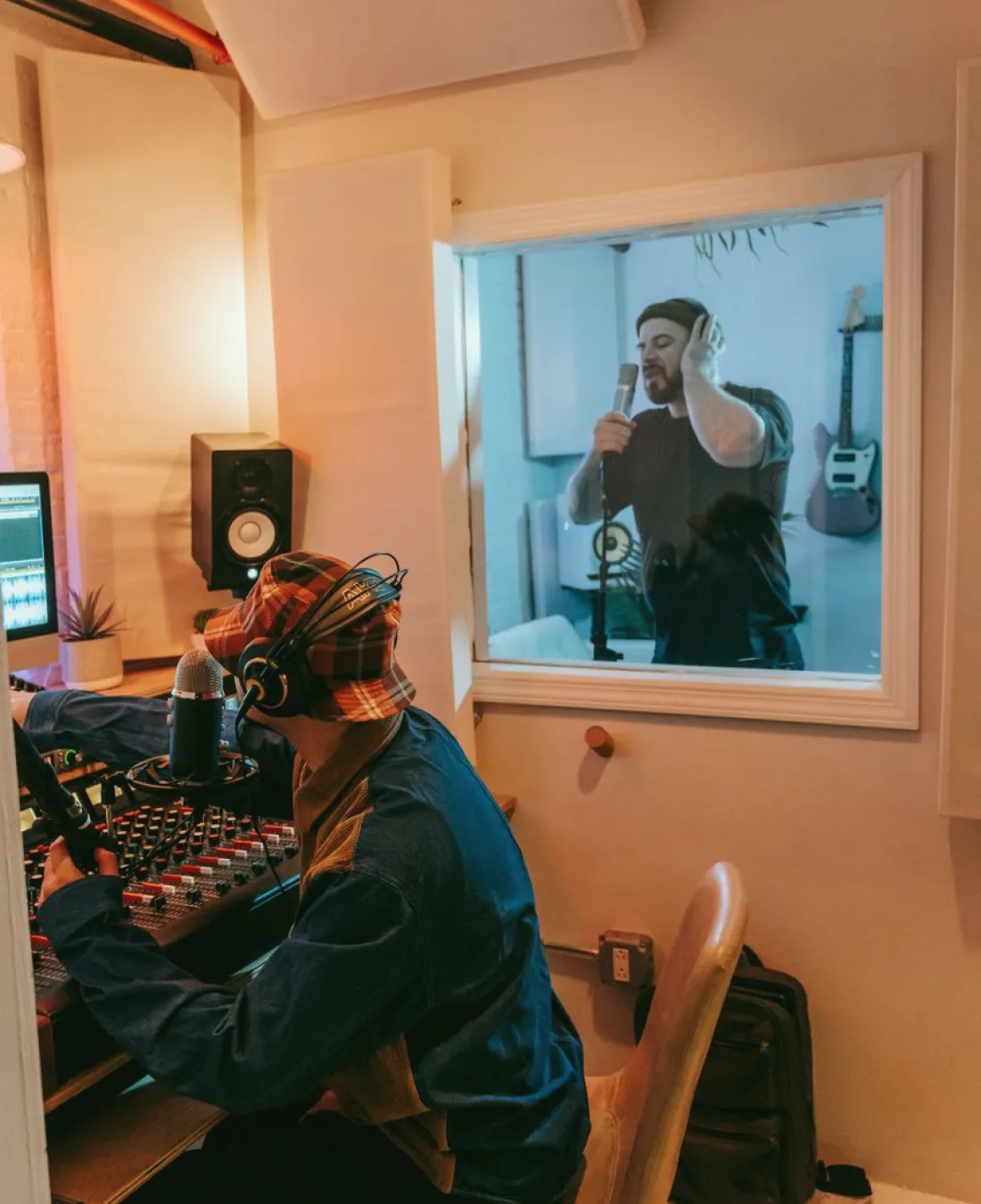
Start with who needs to hear whom
Before touching a fader, draw the conversation map of your programme. List every voice that goes to air, every voice that stays in the building, and every person who needs to hear instructions. In a small news studio that is usually presenter, one or two guests, director, floor manager, camera operators and the sound desk. Write the list on a single sheet and mark who talks to whom, and when.
This sheet decides almost everything that follows. A presenter needs programme sound and the director's voice, but rarely both at the same level. A floor manager needs the director and the countdown, nothing else. Camera operators need shot calls without hearing studio chatter. Once the map exists, microphone and routing decisions stop being guesses and become answers to specific needs.
I come to this as a lighting designer who shares a gallery with sound crews every week, so I have watched where confusion starts: almost always in a person who cannot tell which voice is meant for them.
- List every talker and every listener on one page
- Mark who must hear programme sound and who must not
- Note which voices ever overlap on air
Choosing microphones for the voices you actually have
Match the microphone to the position, not to a catalogue. A presenter who sits still behind a desk suits a small lavalier clipped at the sternum, or a fixed desk microphone just out of shot. A presenter who walks between a wall display and a sofa needs a lavalier on a wireless pack, and a spare ready on the desk.
Guests are the harder case. They arrive with unknown habits: some lean in, some turn away, some fiddle with the clip. Choose a microphone with a forgiving pickup pattern and set the guest input slightly conservative, then adjust once they speak. Keep a couple of identical spares so a swap during a break takes seconds, not minutes.
Think about the room too. Hard surfaces, a glass backdrop or a bare floor bring reflections that a close microphone hides but a distant one exposes. If the budget allows only one improvement, put the microphone closer to the mouth before buying anything more expensive.
- Fixed seating: small lavalier or discreet desk microphone
- Moving presenters: wireless lavalier plus a spare pack
- Guests: forgiving pattern, identical spares within reach
Laying out the mixing desk so nothing hides
Arrange the desk the way the programme runs, left to right in order of speaking. Presenter on the first faders, regular guests next, then playback, then spares. When someone speaks, your hand should already be near the right fader, and a new operator should read the layout in seconds.
Label with tape and a marker, not memory. Write the name or role, and colour-code groups: dialogue in one colour, playback in another, talkback in a third. Group the dialogue faders onto a single master so you can pull the whole studio down in one movement if something goes wrong.
Keep unused channels muted and parked at the far end. An open microphone nobody is using adds room noise, and it is the usual source of the odd cough or side comment that reaches air. Check each channel at the start of the session and again after any change of guests.
- Order faders by speaking order
- Label every channel with role and colour
- Mute and park anything not in use
Routing talkback without crossing the wires
Talkback fails when everyone shares one open line. Split it into at least two paths: a production line between director, producer and sound, and a studio line that reaches the floor manager and the camera crew. The director chooses which one to press, and each listener hears only what concerns them.
Give the presenter a separate return, usually an earpiece, fed with programme sound minus their own microphone. Hearing yourself back with delay is disorienting and ruins delivery. A clean mix-minus avoids that, and it also lets the director cut in with a short instruction when needed.
Test every path from both ends. Ask the director to speak to the floor and confirm the floor hears it, then repeat for the cameras and the presenter. A missed test shows up at the worst moment, usually during the opening seconds of a live segment.
- Separate production and studio talkback lines
- Feed the presenter a mix-minus return
- Test each path in both directions
A rehearsal routine that catches problems early
Run a short, fixed rehearsal before every live session, and keep it the same each time. Start with silence: listen to the empty studio for ten seconds and note hums, buzzes or ventilation noise. Then take each microphone in turn and ask the speaker to talk at their normal level for a few sentences.
Next, rehearse the awkward moments rather than the easy ones: two people talking at once, a guest entering mid-segment, a handover from presenter to reporter, a playback roll-in. These are where levels jump and cues are missed. Walk through them once at speed, not slowly, so the timing is realistic.
Finish by checking the recording or monitoring path against what the director hears. Many problems that seem like mixing faults are really monitor differences. If everyone agrees on what good sounds like before going live, the programme is far easier to run.
- Ten seconds of empty-room listening first
- Rehearse overlaps, entries and handovers
- Confirm monitoring matches what the director hears
Keeping the routine steady after a busy week
The best sound workflow is the one a tired crew can still follow. Write the channel list, the talkback map and the rehearsal steps on a single laminated sheet beside the desk, and update it whenever the layout changes. A relief operator then has a reference rather than a favour to ask.
Review after each live session while it is fresh. Note any moment where someone could not hear, a level jumped, or a cue was missed, and decide one change to make before the next session. Small adjustments added week after week produce a studio that feels calm even when the programme is not.
Do not chase every fault at once. Fix the one that cost the most clarity, check it holds, and move on to the next. That discipline matters more than any single piece of equipment.
Clear dialogue in a live programme comes from decisions made before the red light: knowing who must hear whom, choosing microphones for the positions people really take, laying the desk out in speaking order, and splitting talkback into paths that do not collide. Rehearse the awkward moments, write the routine down, and fix one fault at a time. A calm gallery is built from habits, and those habits are easy to start this week.